Hi,
just updated to v75 and found strange issues on my admin webinterface.
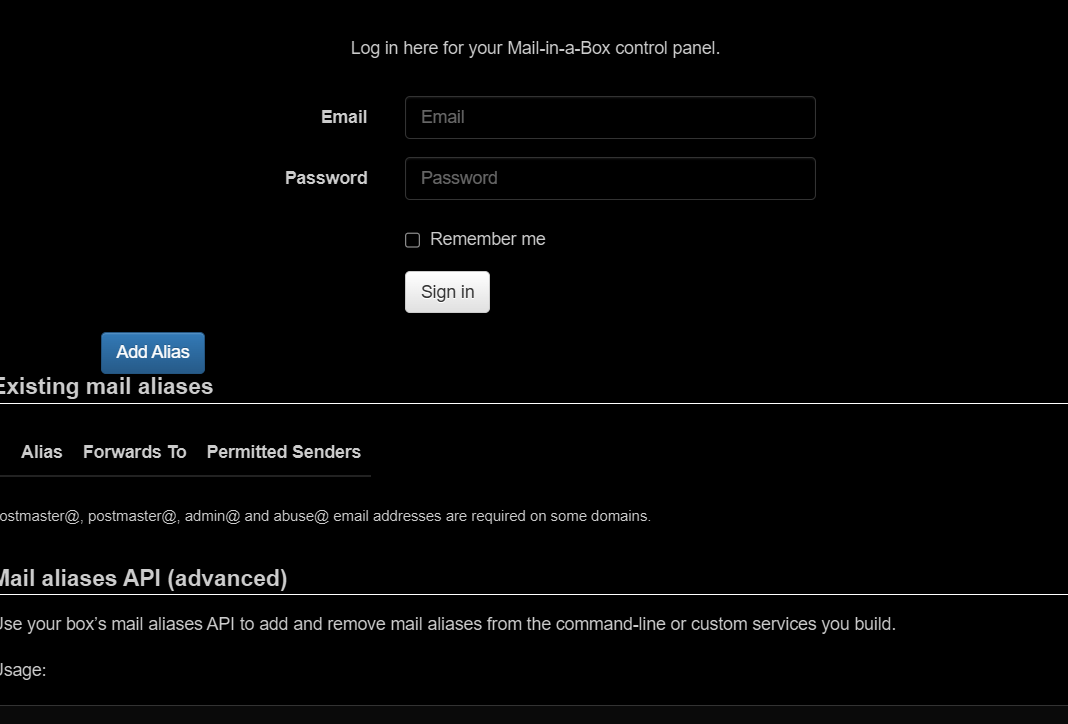
The login page shows some alias content. After login this information is shown on the bottom of every page.
For clarification I added a screenshot of my login page.
Hi,
just updated to v75 and found strange issues on my admin webinterface.
The login page shows some alias content. After login this information is shown on the bottom of every page.
For clarification I added a screenshot of my login page.
It is happening the same to me
Confirmed here as well but only on the /admin pages. Seems harmless, so hopefully an easy fix for the team.
There are two DIV’s in ~/mailinabox/management/templates/aliases.html that need to be removed on lines 84 and 85. That fixed it up for me.
Also noted in Github Issues.
Same issue for me
I also have the same issue after updating to v75. I commented out the “” lines on 85 and 86 in my ~/mailinabox/management/templates/aliases.html file, rebooted, and the interface looks fine now.
Same problem, Two </div> tags on lines 84–85 must be removed.
Cheers Phill - Well spotted
Thanks for spotting the 2 x divs Phill
I took a fresh copy of “timveld” aliases.html Apr 8, 2026 from github, deleted 84 & 85 ran a sudo mailinabox then a sudo shutdown now -r and sadly the alias logic is still on the /admin login screen and on the /admin#aliases screen the content is all left aligned
PS: Really appreciate MAIB & team Josh
Be sure to make the changes in the right file. It is located under root.
/root/mailinabox/management/templates/aliases.html
A simple restart of the mailinabox service should do the rest.
sudo service mailinabox restart
Thanks Malz,
My bad, edited the alias file in a orphaned mailinabox directory owned by root in the ubuntu user home. Suspect it was created when we did the migration/upgrade to ubuntu 22.04.
Login and /admin#aliases golden now 
Lines 84 & 85 in my alias.html file are…
</tr>
So I’m not touching those!
I can’t see where there are two that shouldn’t be there on mine.
When you say /root/mailinabox - I presume root will be a different name depending on what you called your Ubuntu admin user?
Lines 84 & 85 are completely different in my aliases.html file (not divs) and I’m struggling to see how to the fix this issue. Can anyone help?
Roll on v75(a) or v76!
Has this html issue been fixed such that new installs of 75 will not result in this error on status pages?
Or will there be a 75a as I saw suggested?
Thanks
Nice find Phill.
Quick PSA. If you modify files in the mailinabox git checkout, as in this case, the next time you try to do an upgrade, I think the upgrade process will fail because it detects the checkout has been changed. Reverting the change will fix the issue, so be prepared to do this.
Plz, check MiAB-dir in /root and in /home/user. Right file at homedir/mailinabox/management/templates/aliases.html now 8(
Doh! Not editing the one in /root
Line 84 & 85 did the trick for me too.
Since there may be issues when running the next update due to editing files to fix the display errors, wondering if @JoshData is going to push a v76 fix for this.
Thanks Josh.
Hello All,
port 80 is accessible to any people, i hope such kind of issue does not create any open door on the system.
Fix to apply is not very clear.
confusiong replies
is it the File /root/mailinabox/management/templates/aliases.html ?
which lines to be removed, please ?
I do agree, this should be the best approach to push v75a or 76
Mailinabox Team, is it planed ?
Best regards
François