Problems with Z-Push and Nextcloud, likely after package updates today

My Mail-in-a-box installation suddenly developed some problems today, such as:

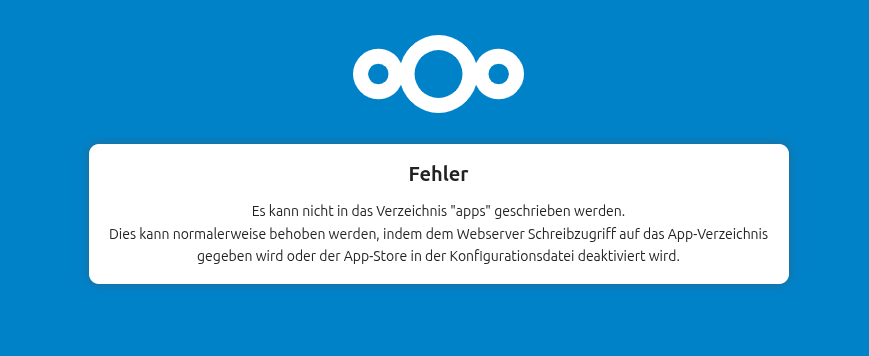
Nextcloud - unable to get the login screen, instead get the error:
Cannot write into "apps" directory. This can usually be fixed by giving the web server write access to the apps directory or disabling the App Store in the config file.

Checking permissions, both /home/user-data/owncloud and /usr/local/lib/owncloud are owned by: www-data www-data

Z-push - I am unable to connect, I get repeated prompts for passwords. z-push-error.log is full of authentication errors, for both the IMAP and CalDAV servers. All users are getting similar errors: Exception: (AuthenticationRequiredException) - Access denied. Username or password incorrect

Currently IMAP, Roundcube, and the Admin interface are working.

I am using Mailinabox v74, and I am up to date with package updates. Today, I noticed that there were some updates to nginx and php, and suspect these could be the source of the problem.

I tried rerunning the mailinabox command, and it completed. However, I did see one error message: Error: stepping, UNIQUE constraint failed: oc_users_external.uid, oc_users_external.backend (19) and the problems remained

I also tried rebooting, to no effect.

I could try upgrading to v75 to see if this fixes permission errors, but am reluctant to at this time, as I am worried this could just amplify the problem. I could also try restoring from backups, but this would not change any file permissions.

Thanks for any help,
Rob
same Problem here. i am on v75 and atm i dont have a calendar or contacts …
also the webui is damaged!!

this is the fix for the alias webinterface problem:Webinterface issues after v75 update - #11 by naude

It’s just a guess, but the timing of this apt-listchanges notification seems suspicious :person_shrugging:

php8.0 (1:8.0.30-21) unstable; urgency=medium

  * The systemd unit file has been hardened.  Extra options from
    sapi/fpm/php-fpm.service.in has been used:

    ProtectSystem=full
    PrivateDevices=true
    ProtectKernelModules=true
    ProtectKernelTunables=true
    ProtectControlGroups=true
    RestrictRealtime=true
    RestrictAddressFamilies=AF_INET AF_INET6 AF_NETLINK AF_UNIX
    RestrictNamespaces=true

    This should work in the default environments, but you might need
    to modify the systemd unit file if you are using less standard
    FPM configuration.

 -- Ondřej Surý <ondrej@debian.org>  Sun, 10 May 2026 19:39:33 +0200

nextcloud is working for me after disabling the appstore in the config.php:

‘maintenance’ => false,
‘appstoreenabled’ => false,
‘config_is_read_only’ => true,

now my calender is working for the moment!!

If you edit the php8.0-fpm unit file (thanks to @rowie & @shuttermonster for pointing out that you can just supply the ReadWritePaths directive and not the whole unit file):

sudo systemctl edit php8.0-fpm

and add ReadWritePaths=/usr/local/lib/owncloud to it:

### Editing /etc/systemd/system/php8.0-fpm.service.d/override.conf
### Anything between here and the comment below will become the new contents of the file

[Service]
ReadWritePaths=/usr/local/lib/owncloud

### Lines below this comment will be discarded

### /lib/systemd/system/php8.0-fpm.service
# [Unit]
# Description=The PHP 8.0 FastCGI Process Manager
# Documentation=man:php-fpm8.0(8)
# After=network.target
#
# [Service]
# Type=notify
# ExecStart=/usr/sbin/php-fpm8.0 --nodaemonize --fpm-config /etc/php/8.0/fpm/php-fpm.conf
# ExecStartPost=-/usr/lib/php/php-fpm-socket-helper install /run/php/php-fpm.sock /etc/php/8.0/fpm/pool.d/www.conf 80
# ExecStopPost=-/usr/lib/php/php-fpm-socket-helper remove /run/php/php-fpm.sock /etc/php/8.0/fpm/pool.d/www.conf 80
# ExecReload=/bin/kill -USR2 $MAINPID
# Restart=on-failure
# ProtectSystem=full
# PrivateDevices=true
# ProtectKernelModules=true
# ProtectKernelTunables=true
# ProtectControlGroups=true

then

cat /etc/systemd/system/php8.0-fpm.service.d/override.conf should output

[Service]
ReadWritePaths=/usr/local/lib/owncloud

followed by

sudo systemctl daemon-reload
sudo systemctl restart php8.0-fpm

and you should be good to go.

5 Likes

Editing /etc/systemd/system/php8.0-fpm.service.d/override.conf

Anything between here and the comment below will become the new contents of the file

[Service]
ReadWritePaths=/usr/local/lib/owncloud

Lines below this comment will be discarded

3 Likes

Despite these temporary fixes, no more access to the web pages (admin - cloud - mail) even though I recovered the DAVx5 sync, I am forced to restore a snapshot of my VM

this is clearly a PHP8 update problem

im going to apt-mark hold php8.0-fpm until there is a correct fix

Interesting. Did you have any other changes applied?

Anyone else willing to make this change to their php8.0-fpm systemd unit file and confirm whether or not it works for them?

Ah man. Wish I’d seen this before updating. Definitely seeing issues on my iPhone 15 Pro / 26.3.1 with Apple Mail.

I used the Service drop-in as @rowie recommended as creating the directory/file /etc/systemd/system/php8.0-fpm.service.d/override.conf is the correct way to augment a service config when you don’t own the service’s unit file. And making that change worked for me. Back up and running.

2 Likes

Thats the beauty of open source and a community!
thx for that!

1 Like

Yes, all problems solved for my system – pokeswithastick modifications worked!

It appears the underlying problem was due to Nextcloud failing - Z-push was just collateral damage. I find it somewhat puzzling, as the Z-push error.log had many error of the type: Can not authenticate to IMAP server: [AUTHENTICATIONFAILED] Authentication failed., making it appear the problem was not isolated to Nextcloud. At least these errors got me on the wrong troubleshooting track.

Confirmed. Works for me. Thanks pokeswithastick!

Oh, right! The (systemctl) edit command. I always forget and do it the hard way. :wink: Good call-out…

Change applied, working again for me.
Thank you

It worked for me as well. Thanks a lot!

This workaround worked perfectly for me too!

My setup is Mail-in-a-Box v75 on Ubuntu 22.04 (using SQLite). After the recent package updates, I was stuck with the exact same Cannot write into "apps" directory error.

Changing file permissions didn’t do anything, but adding 'appstoreenabled' => false, right before the end of /home/user-data/owncloud/config.php and restarting the services fixed it instantly:

sudo systemctl restart php*-fpm
sudo systemctl restart nginx

Now Nextcloud and calendar access are fully back online.
Thanks for sharing this solution!

I did an apt-mark hold php8.0-fpm per bobaxx as well. Do we know when this change will be fixed in a later release of FPM systemd? Seems like this should be adjusted there?

Thank you, this worked for me.

Any ideas who will fix this overall - so we can unhold php8.0-fpm?

thx.