Hello,
I’m facing a specific issue with Roundcube webmail: attachment upload fails ONLY in Chrome/Chromium with “Connection error, failed to reach the server”, but works perfectly in Firefox. All other features (reading, sending without attachments, etc.) work fine in both browsers.
Technical details:
-
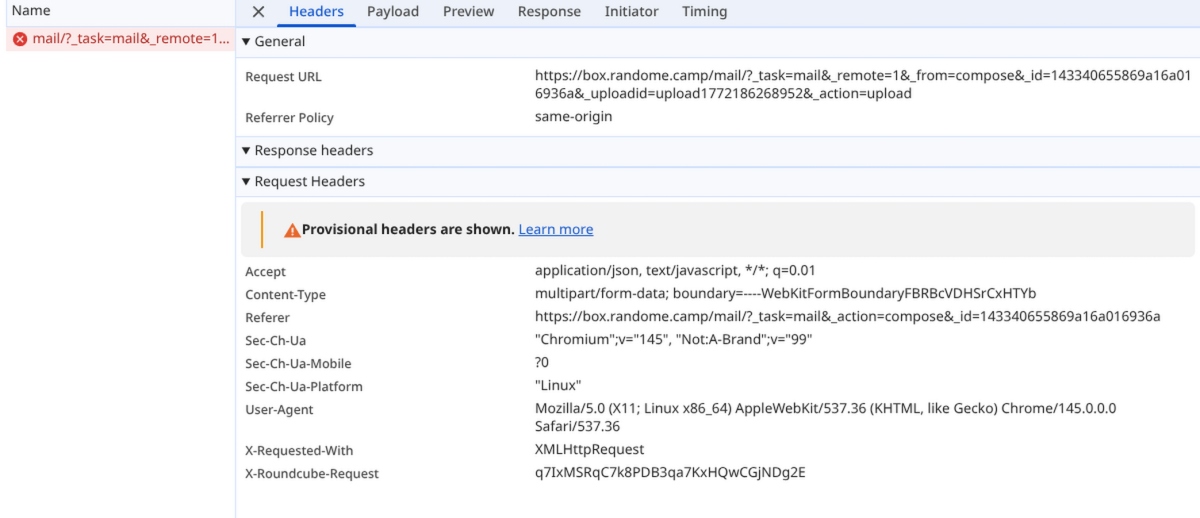
Network tab (F12):
?_task=mail&_action=uploadrequest → status (failed) / code 0 (no server response). -
Tested with files <1MB.
Tests performed (none fixed it):
- Incognito mode (Ctrl+Shift+N)
- All extensions disabled (chrome://extensions)
- Cache/cookies cleared for domain (chrome://settings/content/all)
- No VPN/proxy active
System info:
- OS: Linux Arch
- Chrome/Chromium version: 145.0.7632.116
- Launched Chrome clean:
chromium --no-sandbox --disable-web-security --disable-features=VizDisplayCompositor --user-data-dir=/tmp/chrome-test
→ Still status 0 error.
Anyone seen this Chrome-specific bug?
Any idea on how to solve this ?